
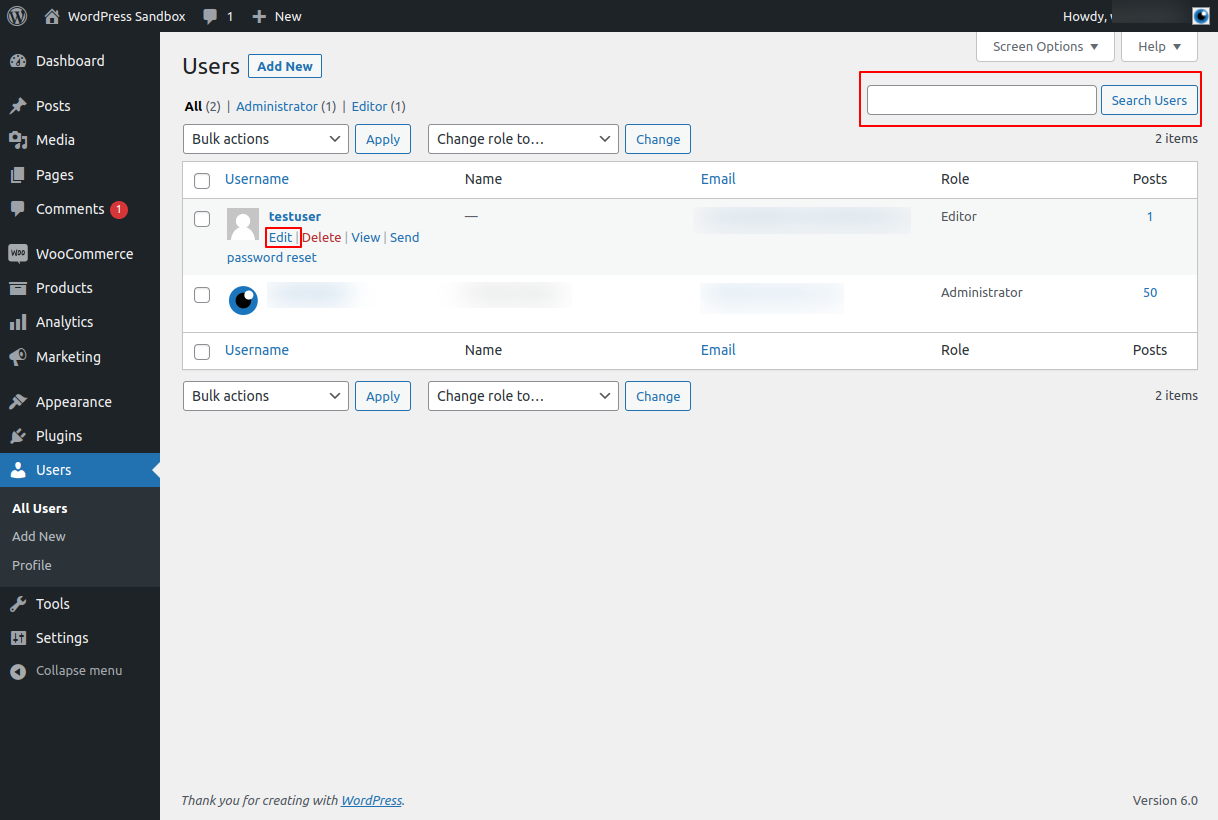
Sometimes you may want to temporarily (or permanently) disable a user from logging in to your WordPress website without deleting their user account. Just changing their password won’t work because they can simply request a password reset email.
Luckily WordPress has a simple mechanism to do this
Login to your WordPress Dashboard
How to: How to Login to your WordPress Website
Navigate to user Index
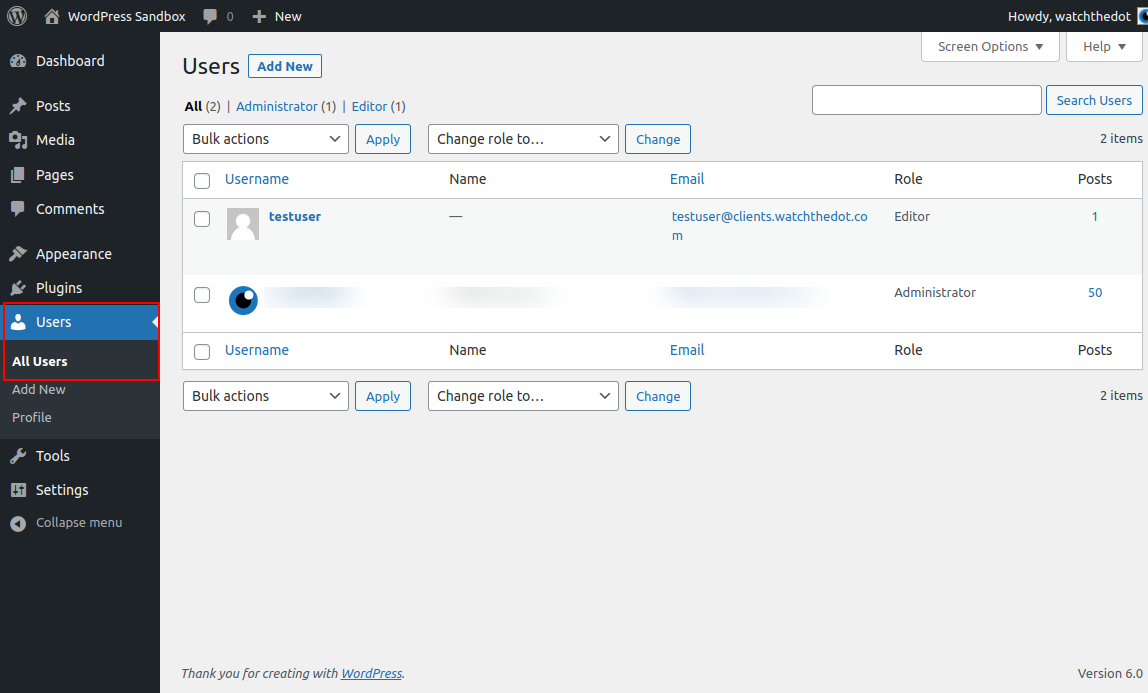
Navigate to the Users > All Users menu and locate the user you wish to delete.
Open the user profile
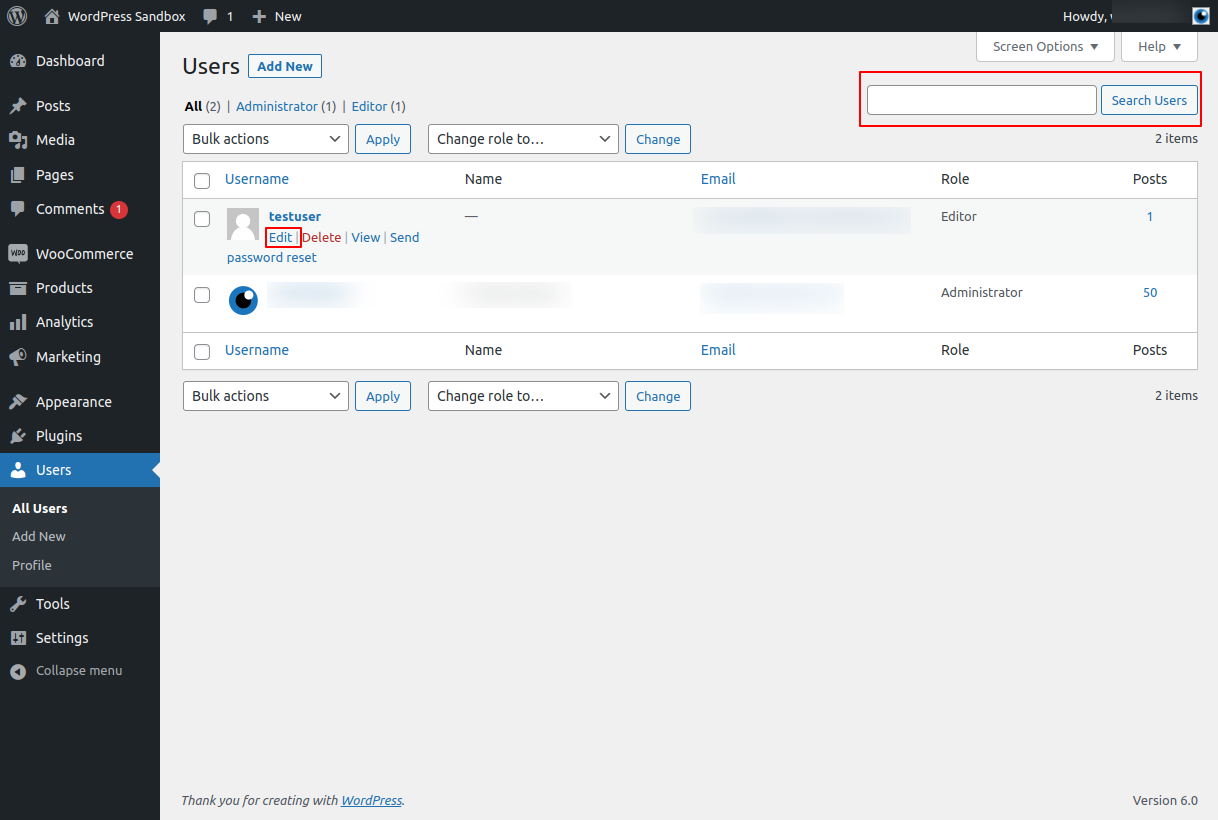
Navigate to the user you wish to disable
Hover your mouse over the username to activate the Quick Edit menu and and select “Edit”
Tip: If you have lots of users, you can use the search box located at the top right of your user index to search by name or email address
Change User Role
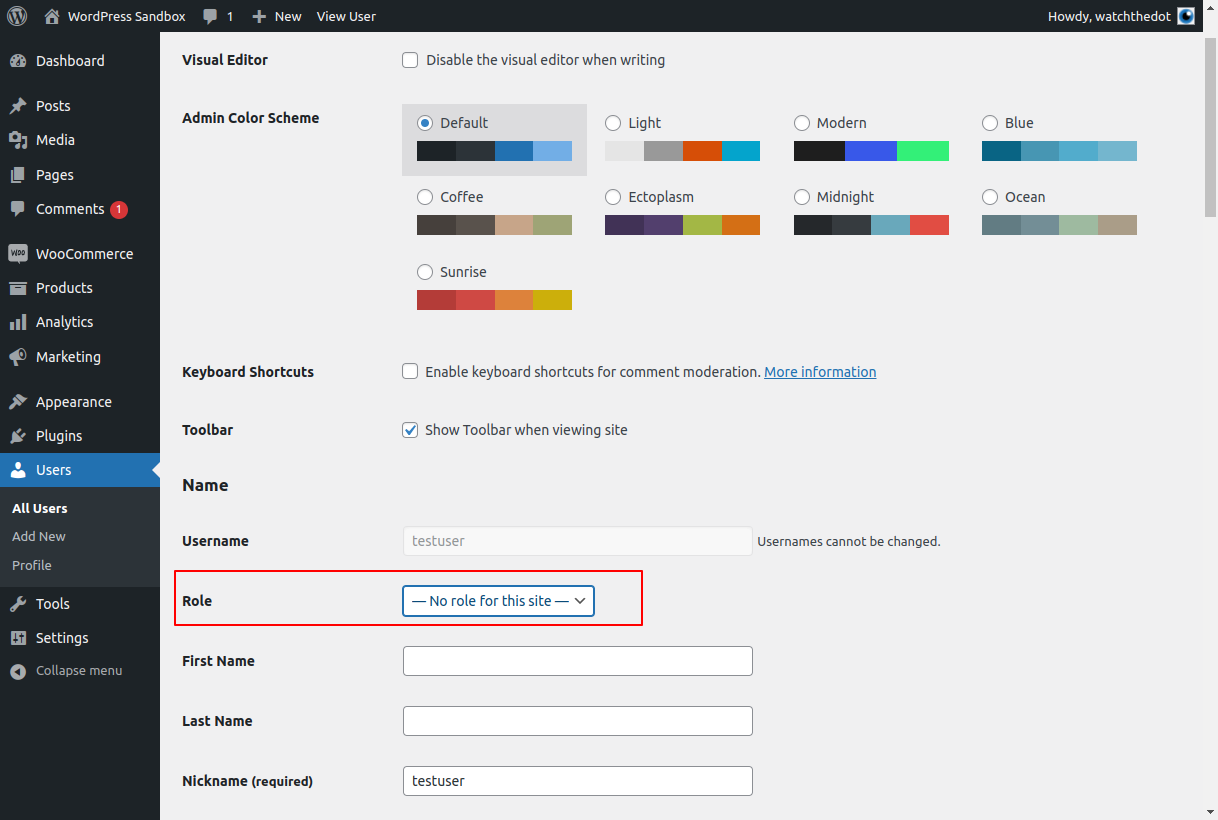
Find the “Role” drop down and change their role to “No role for this site”
Don’t forget to select “Save” at the bottom of your page