
Changing the author on a WordPress post or page is very simple to do.
Make sure the new author exists as a user
The author you want to assign the post to needs to exist as a user. so make sure they have been added first.
How to: Adding a new user in WordPress
Switch Author in Gutenberg Editor
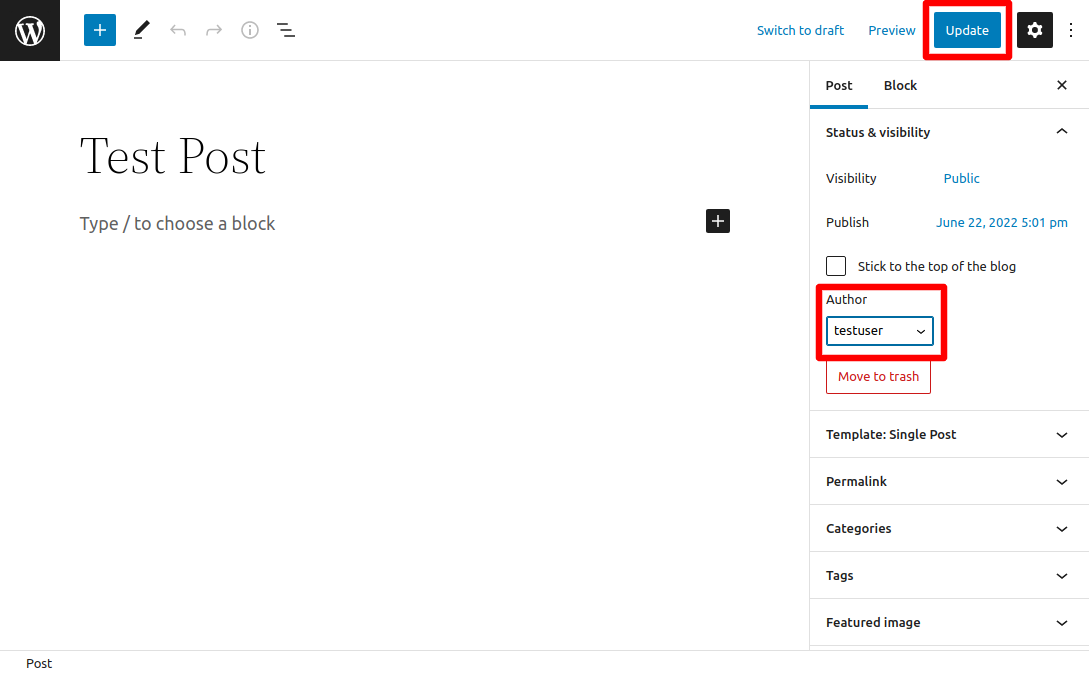
Find the author dropdown and select the new author
Click ‘Update’
Switch Author in Classic Editor
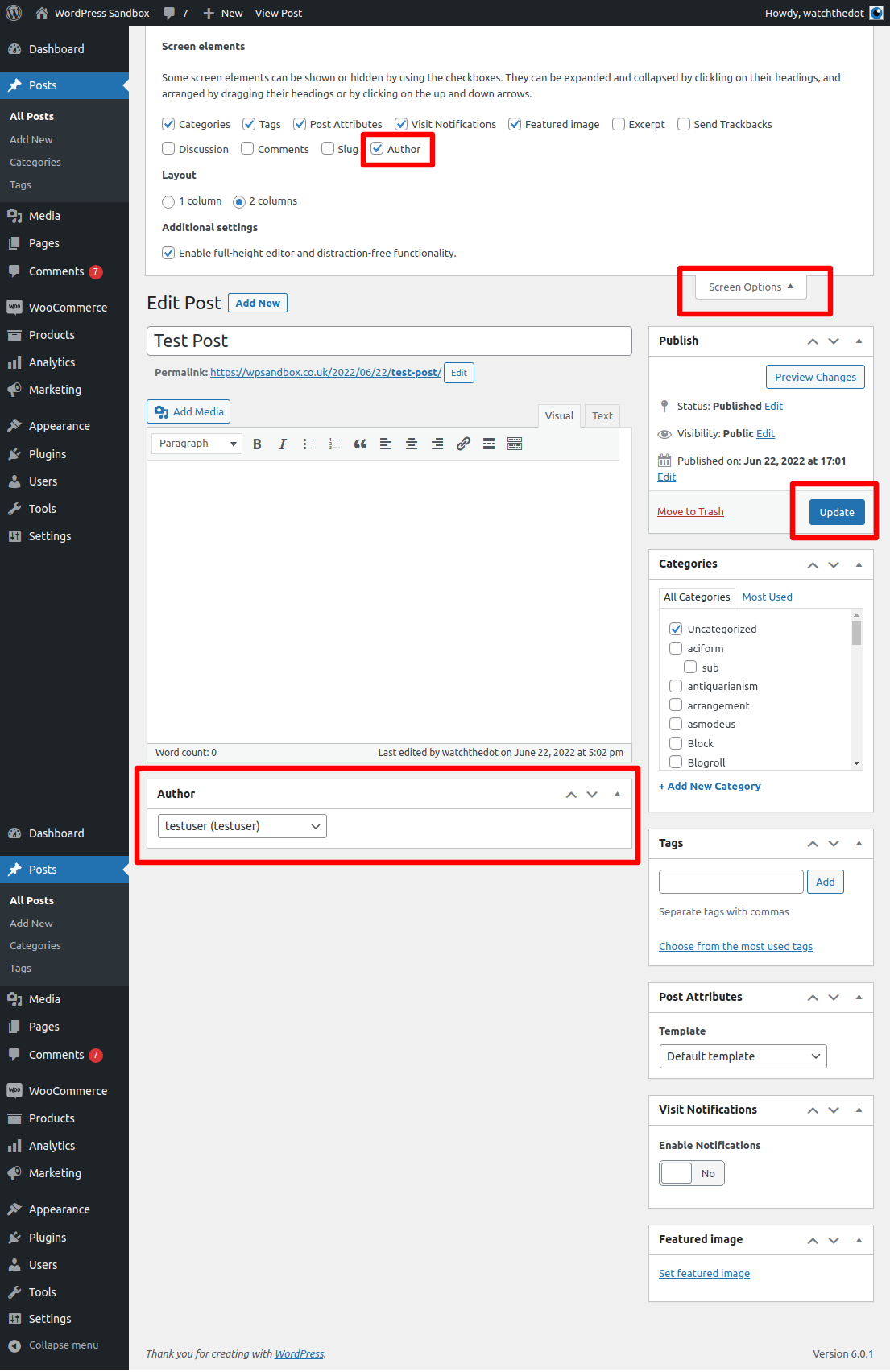
Make sure the Author metabox is enabled in Screen Options
Navigate to Author Metabox and select new author from drop down
click ‘Update’
Change Author from Post Index
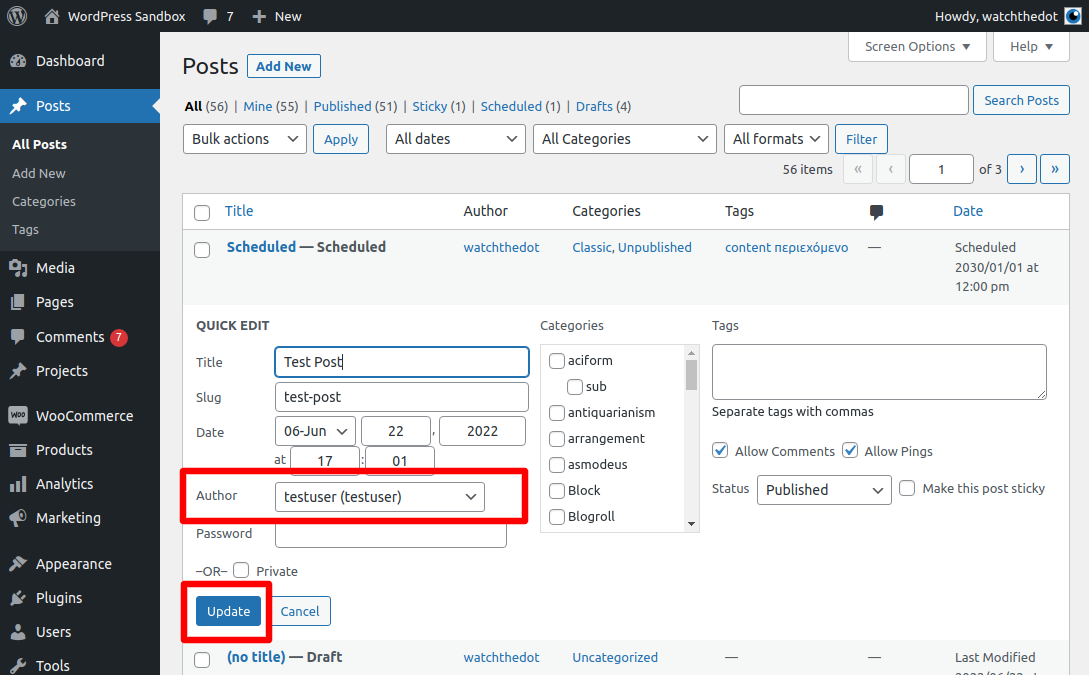
Navigate to the Post or page in the Dashboard index
Hover over the post to activate the quick links
Select “Quick Edit”
Switch the author from the drop down list