
If you can login to you WordPress dashboard, you can easily change your own password from the ‘Edit My Profile’ screen. You may want to do this if your password has been guessed, for example.
Login to your WordPress Website

Your login screen is usually located at [your-domain]/wp-admin – eg http://www.example.com/wp-admin
How to: How to Login to your WordPress Website
Navigate to your Profile
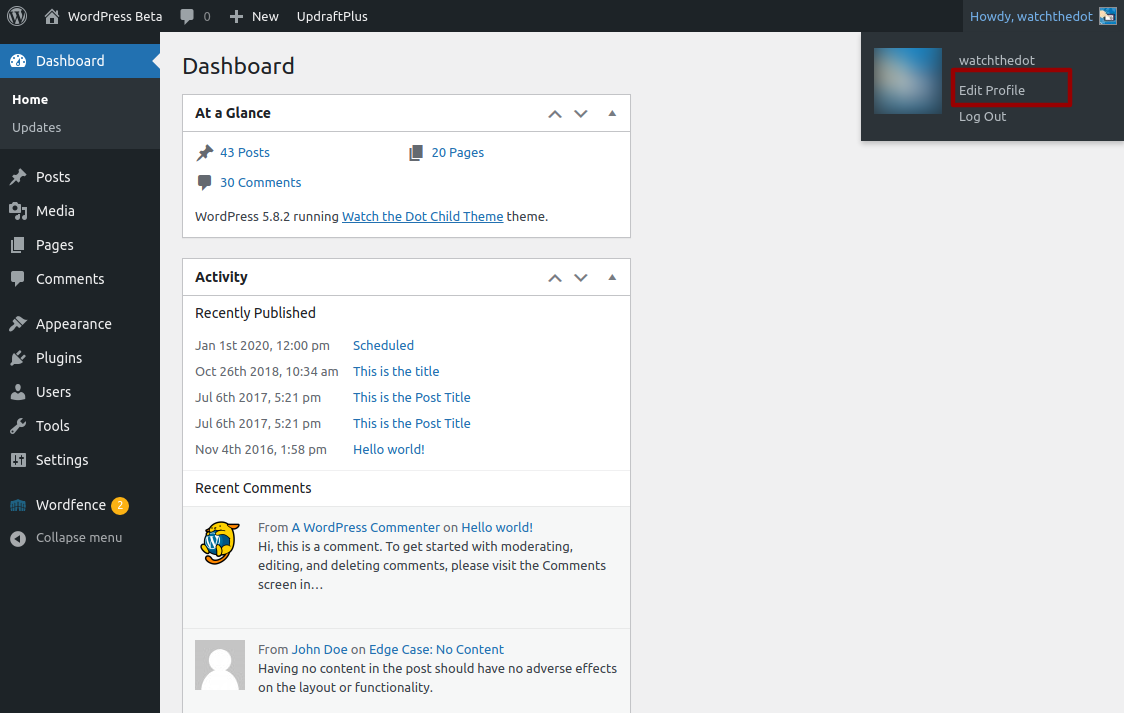
Set a New Password
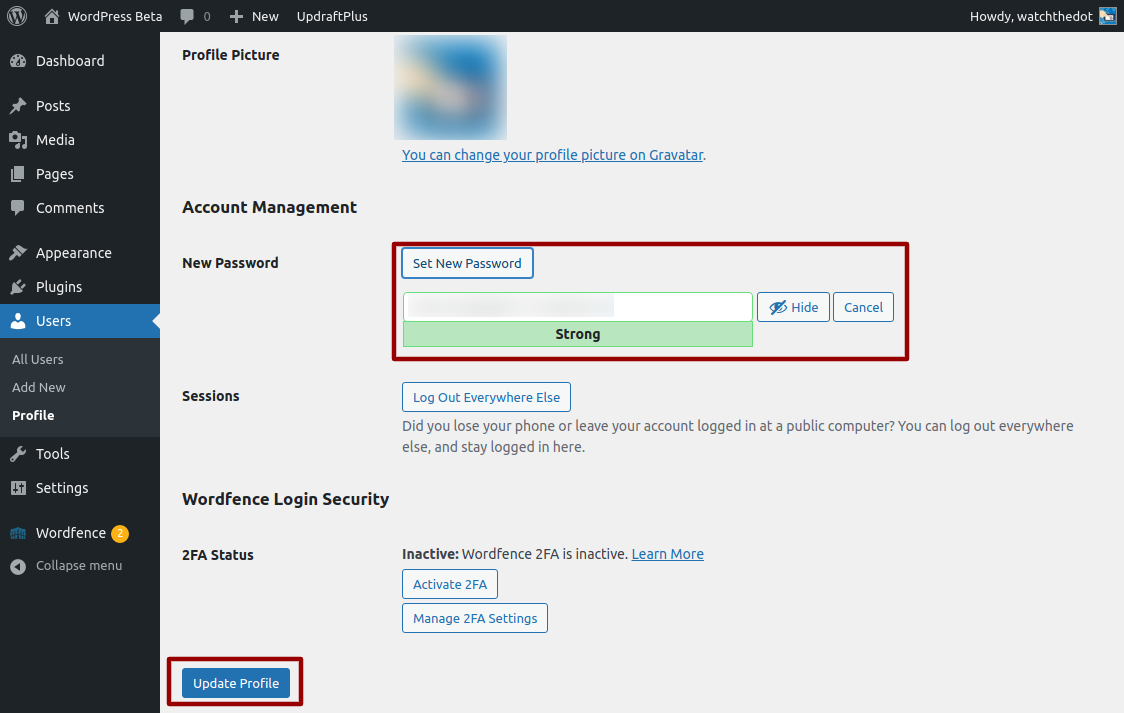
Within your profile page, scroll down to the “Account Management” section and select the “Generate New Password” button – this will suggest a strong password, but you can overwrite this with a password of your choice. Don’t forget to click the “Update” button
If you are no longer able to login, use the Forgot Password Link
How to: Reset your WordPress Password (Password lost)
Want us to do it for you?
Order our paid support product