
Login to business.facebook.com
Select your Business Account and Add People

Select your business account in the top left of the sidebar
Select ‘People’ underneath ‘Users’ in the sidebar
Click the ‘Add’ Button – this will popup an ‘Invite People’ Dialogue box
Complete ‘Invite People’ Dialogue box
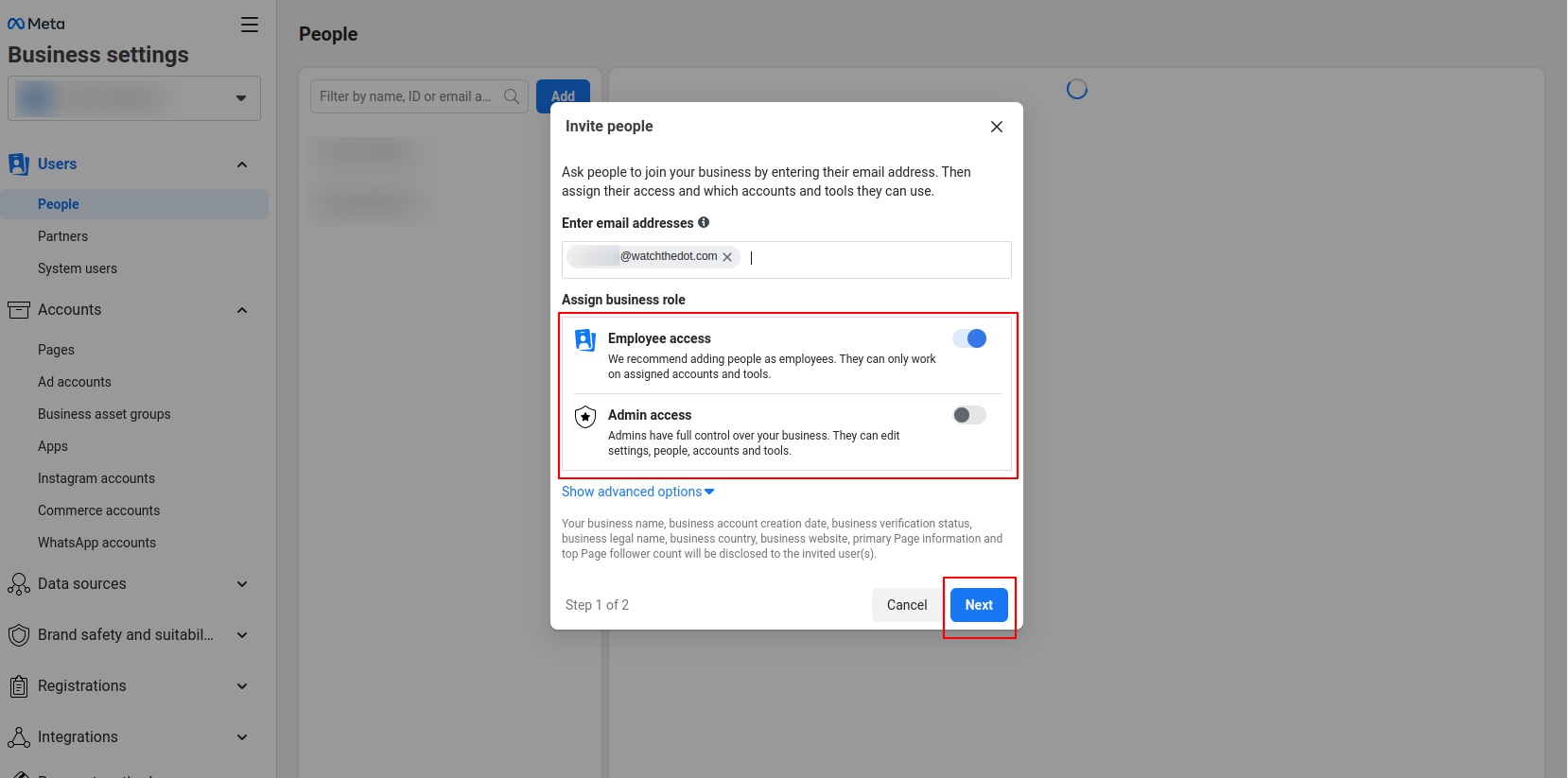
Enter the user’s email address
Select Access Level – Employee Access or Admin Acccess
You may assign additional roles under “Advanced Settings”
Select the assets you wish to assign
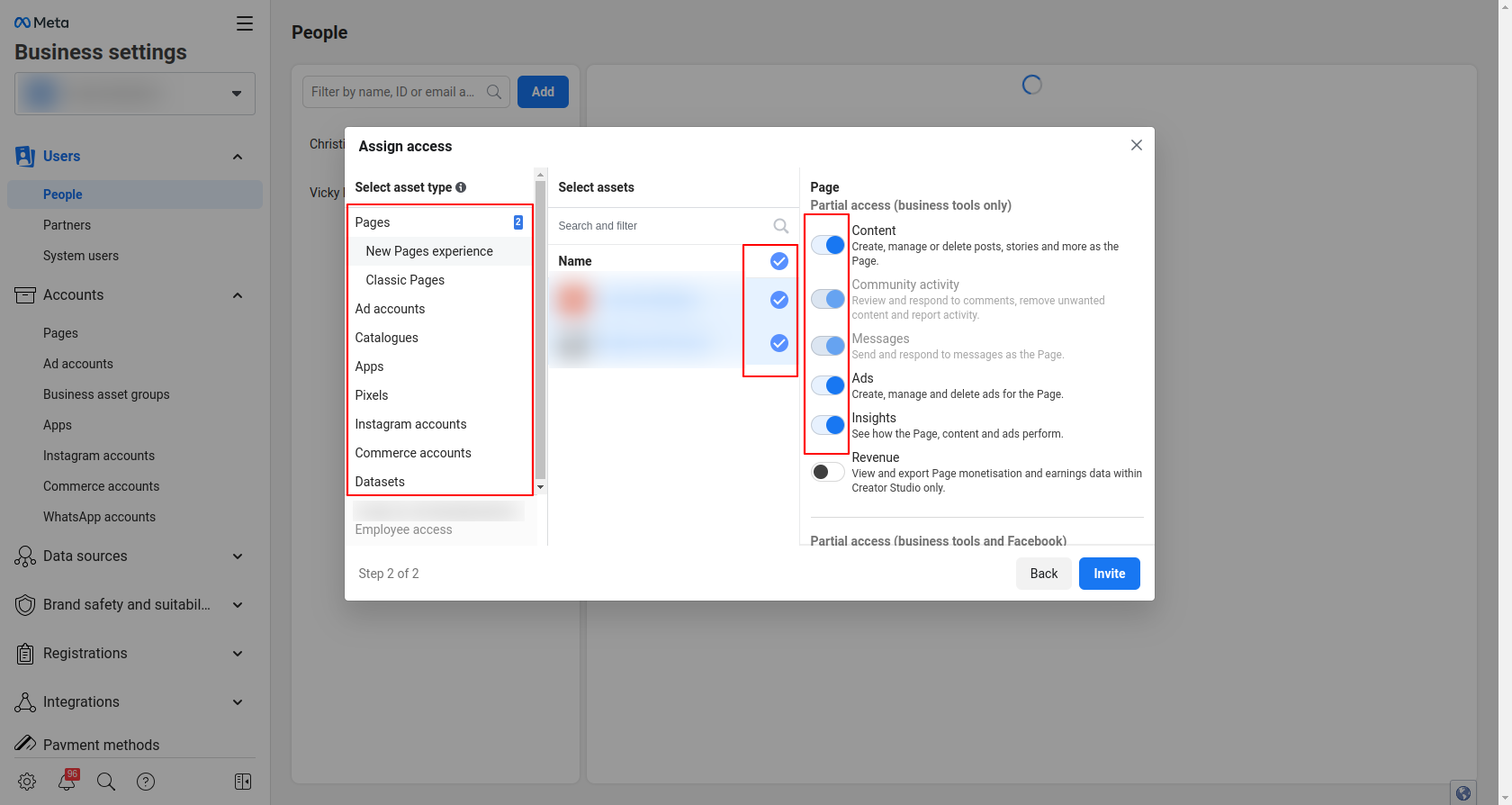
This will typically be:
Pages: Content, Ads, Insights
Ad Accounts
Catalogues: Create Ads, Manage Catalogues
Pixels
Click “Invite” when ready