
Sometimes you may want us to assist with your youtube account. In order to do this we need you to grant us access permissions. This means we don’t need your password or two-factor authentication detail. If you have multiple members of staff accessing you account, we recommend you do it in this way too, rather than password sharing.
Access Settings

Visit studio.youtube.com in a browser
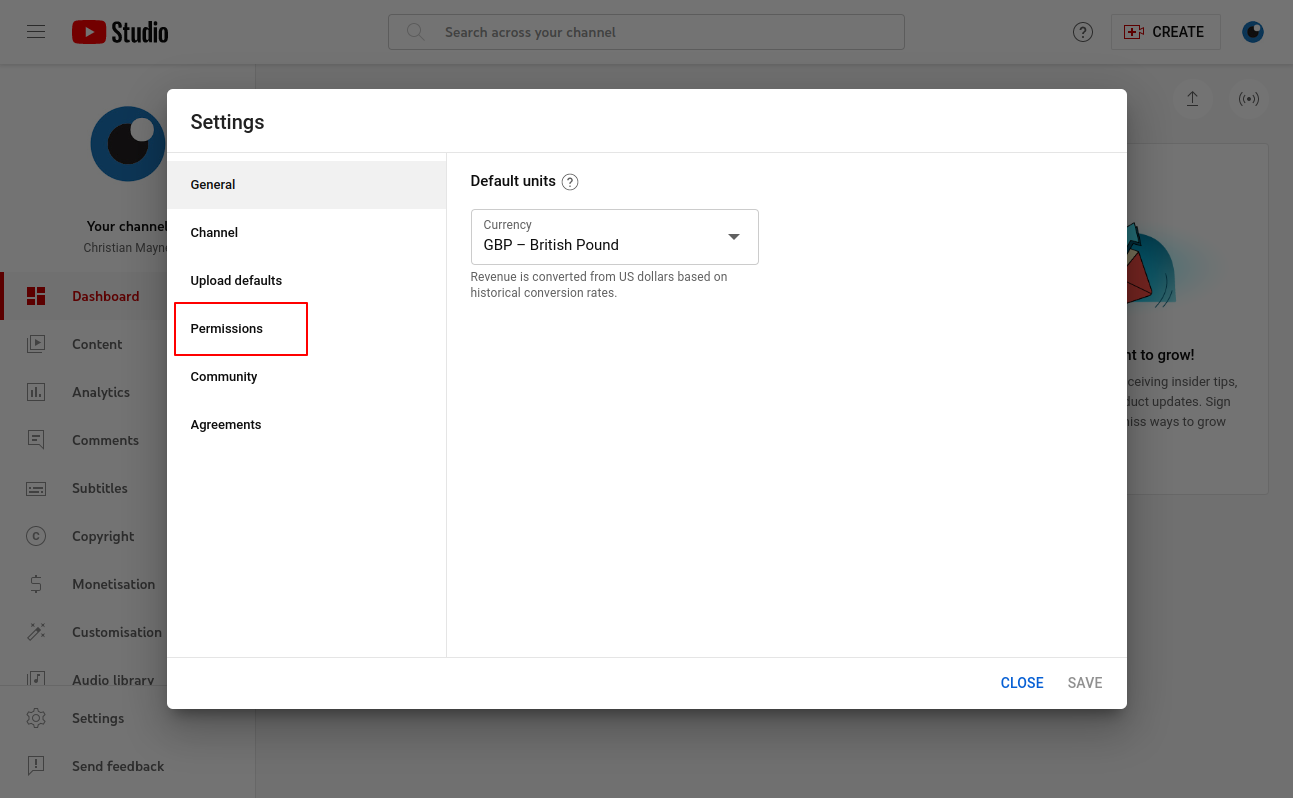
Click the “Settings” Link
Select “Permissions”
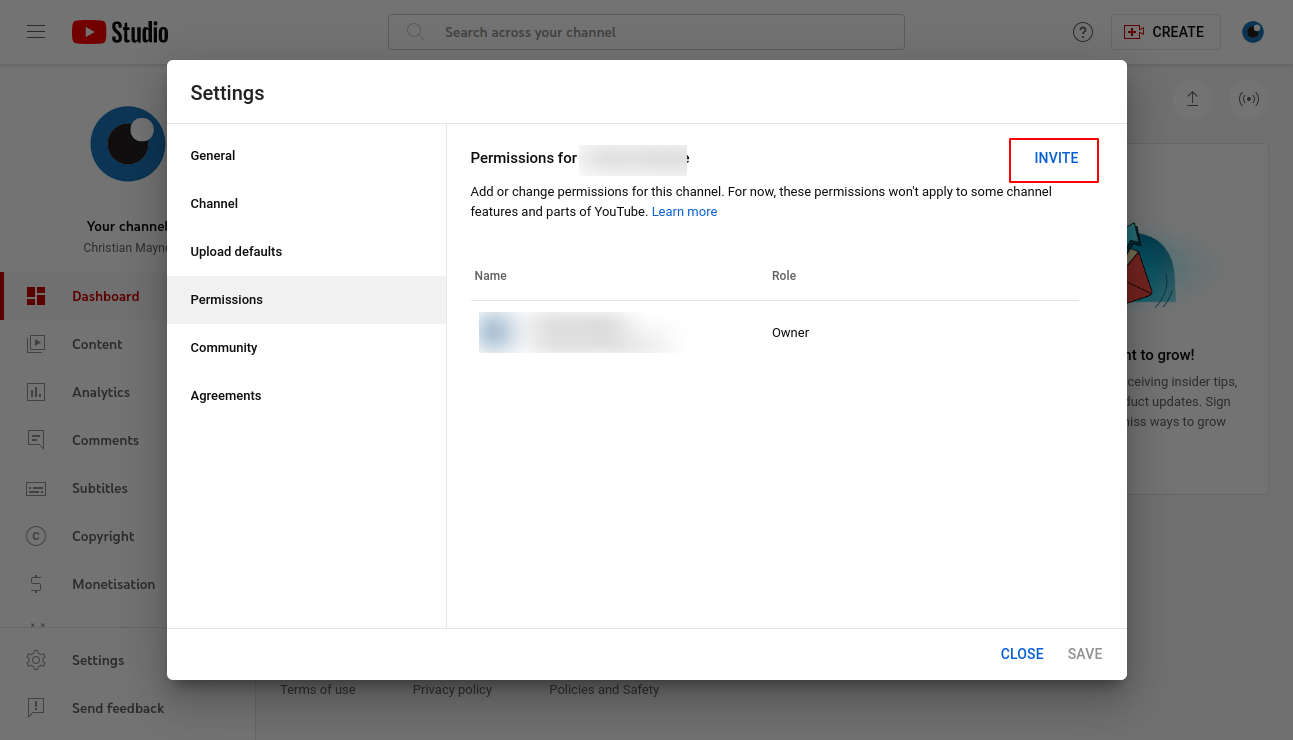
Click “Invite”
Enter the permission details
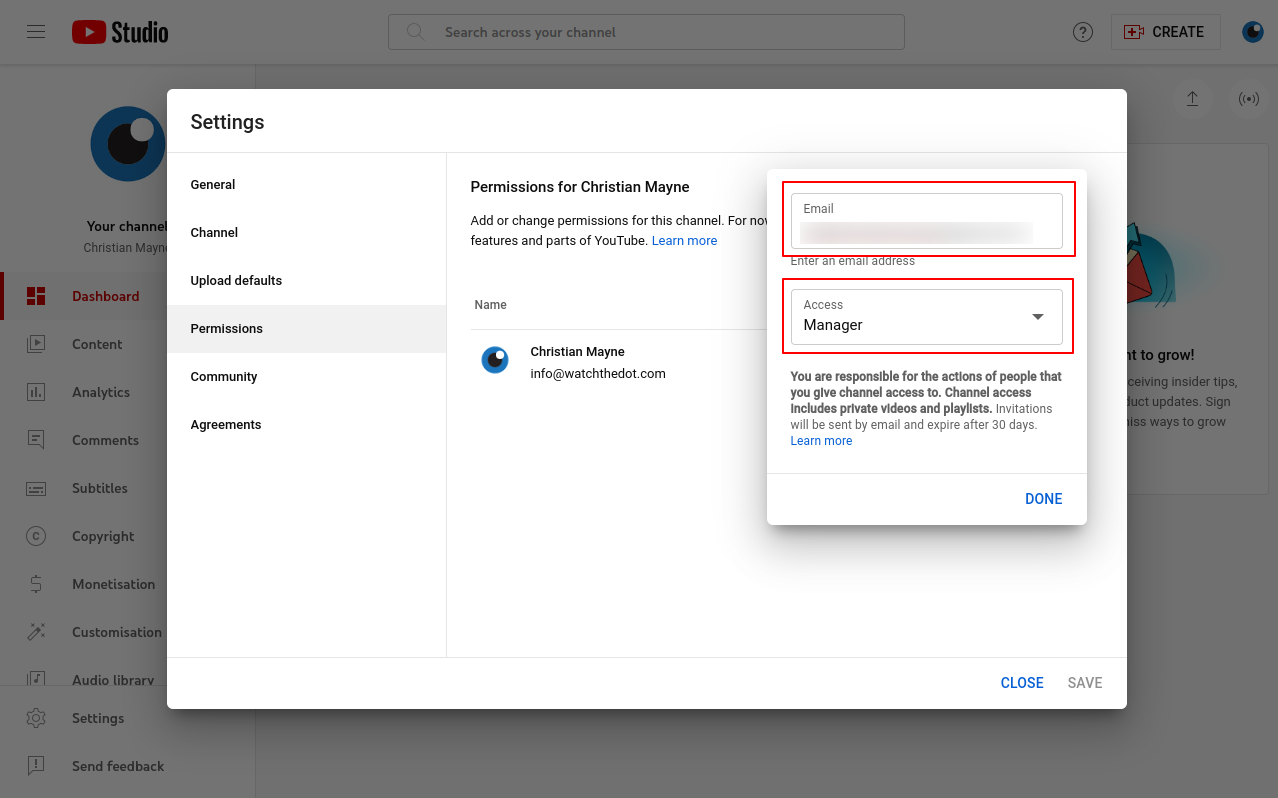
Enter the email address of the person you wish to invite
Select the permissions level required
Hit “Save”
