
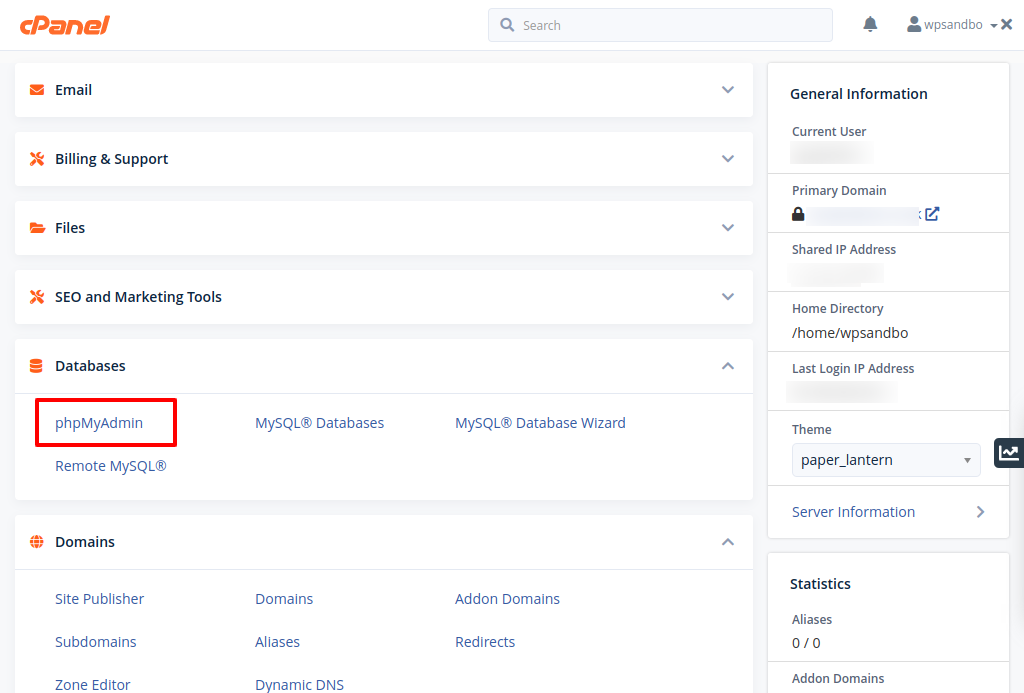
If you are locked out of your website and a password reset hasn’t worked (eg, emails may not be working or you may no longer have access to your email address), you can still gain access to your WordPress dashboard if you have access to your webhosting account and a database management tool. In this tutorial we are using phpmyadmin which is bundled with many popular webhost control panels.
Proceed with caution! One slip may damage your website beyond repair!
Login to your webhosting account
How you login to your webhosting account will depend on your webhost.
Identify your WordPress database

In your filemanager, this information is stored in the file {website root}/wp-config.php
Locate and Open phpmyadmin
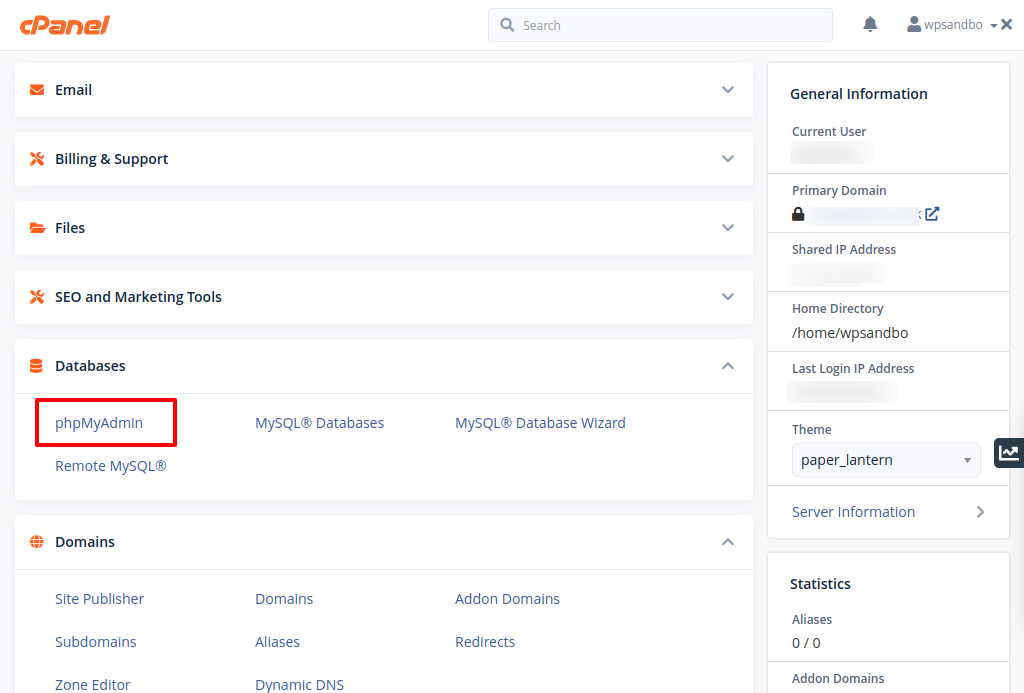
In this screen shot we are using cPanel.
Navigate to the users table in your Database
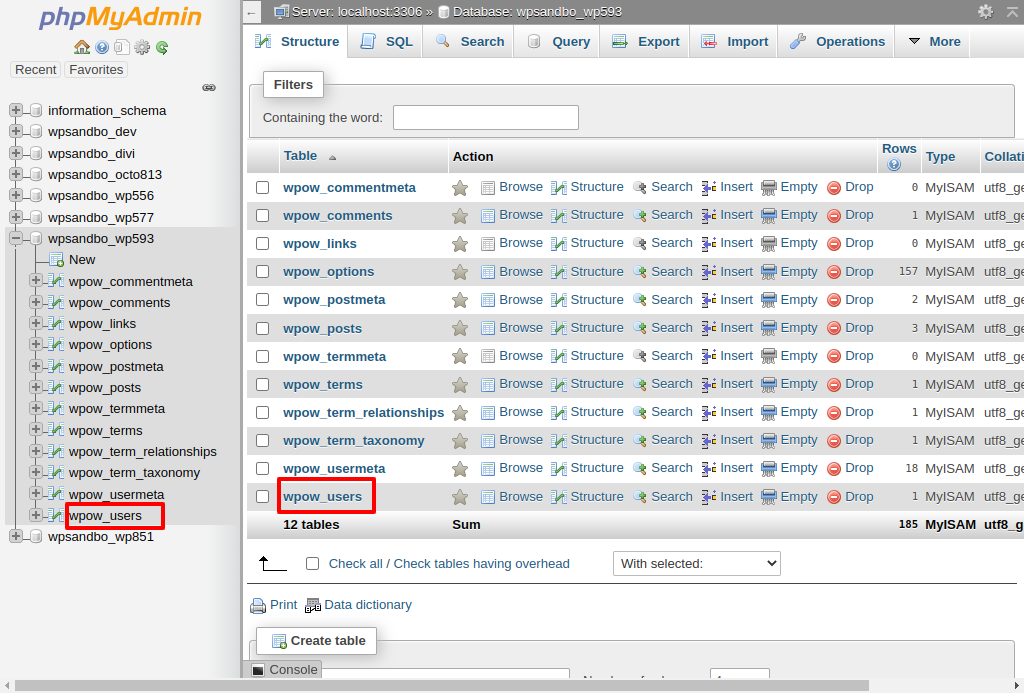
Open your database by selecting it in the left hand panel
Users are stored in the table wp_users – wp_ is the default prefix for the tables however this may have been updated in wp-config.php, see the $table_prefix variable
Edit Admin user
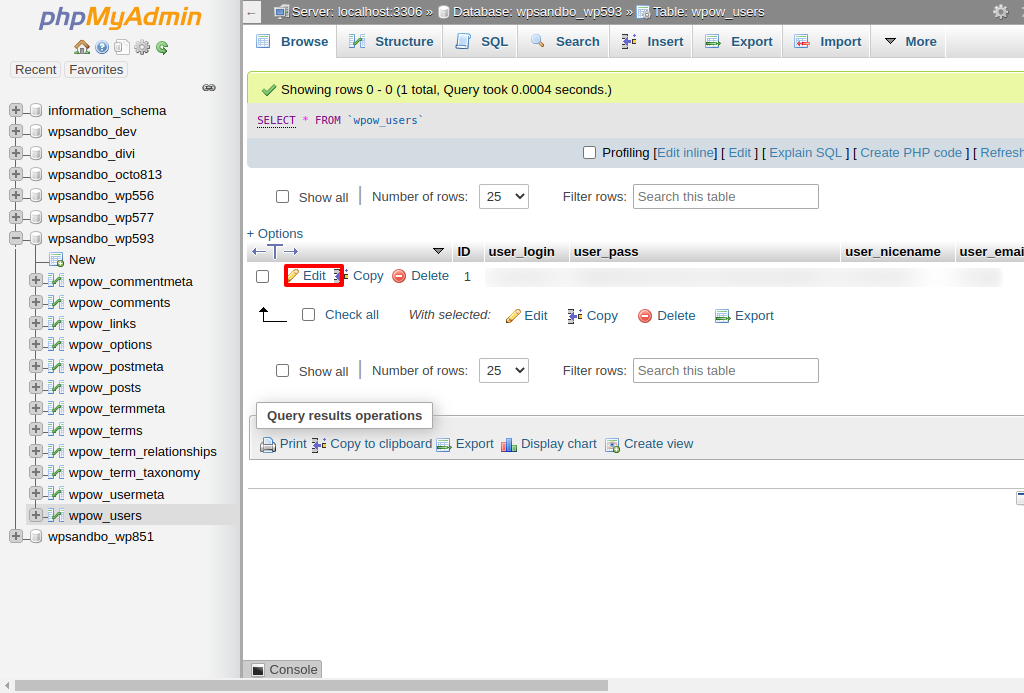
Identify your admin user and select Edit
Change user password

Change user_pass function to MD5. This is the password encryption type
Enter new password into the user_pass value field
Hit Go
The new password will be saved in the encrypted form
Login to Dashboard
You can now login to the WordPress dashboard using the admin username with the new password you have set in the database. When you login, the password will be reencrypted with a more secure hash.