
To use Google services on your website you will need a Google API key. You will need to have an account with Google to create an API key. If you have a Google account, you can follow the steps below to obtain a key.
Please note that Google may charge for use of their API and you should be sure you understand the billing implications of installing an API Key and enabling services on your website.
Login to the Google Cloud Platform

You can access the Cloud Platform here: https://console.cloud.google.com/
Select “New Project”
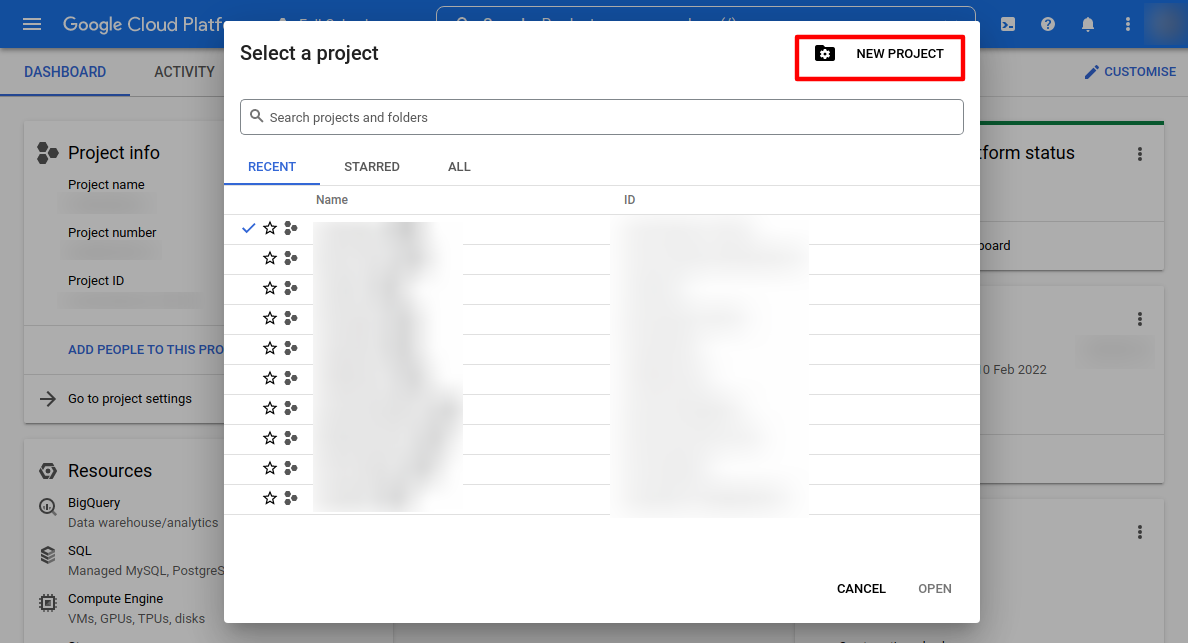
Give the project an appropriate name and select “Create”
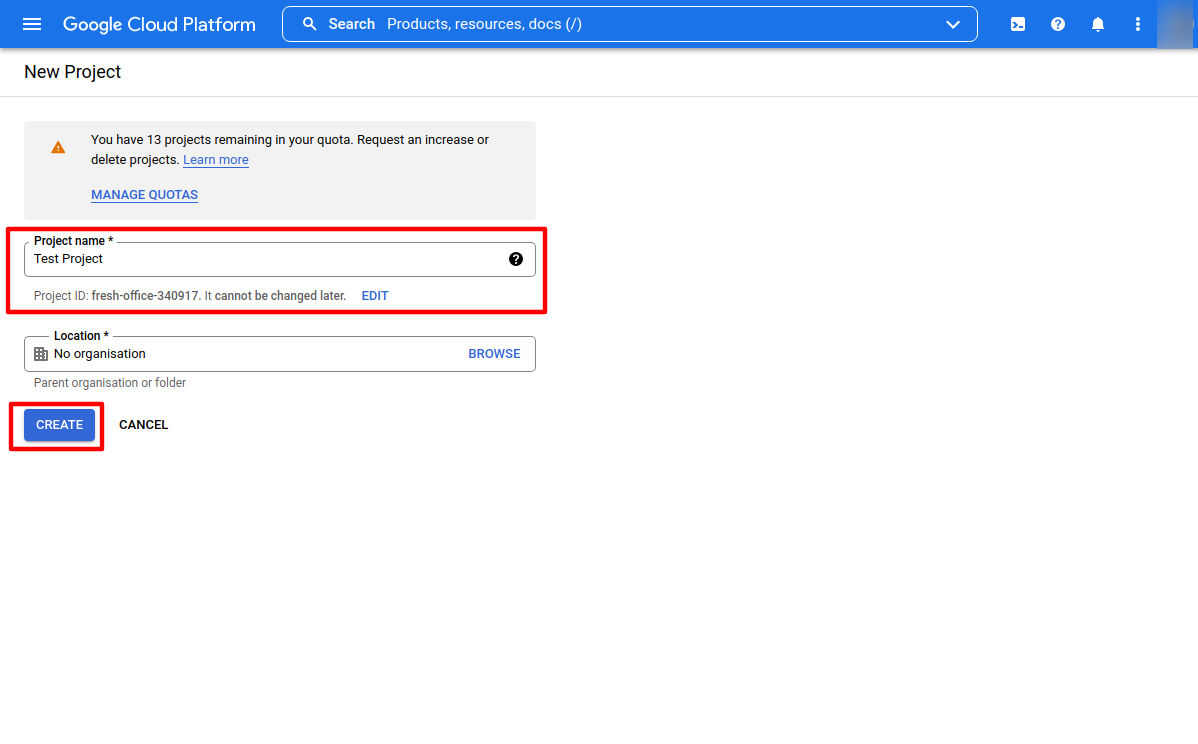
You can also change the project ID from this screen if required
Select the “APIs and Services” section

This can be accessed from the Hamburger menu in the top left once your project has been created
Create an API Key

Select “Create Credentials”
Select “API Key” from the drop down menu
Copy your API key and install into your Website

Your web developer will advise how this can be installed
Enable API Services
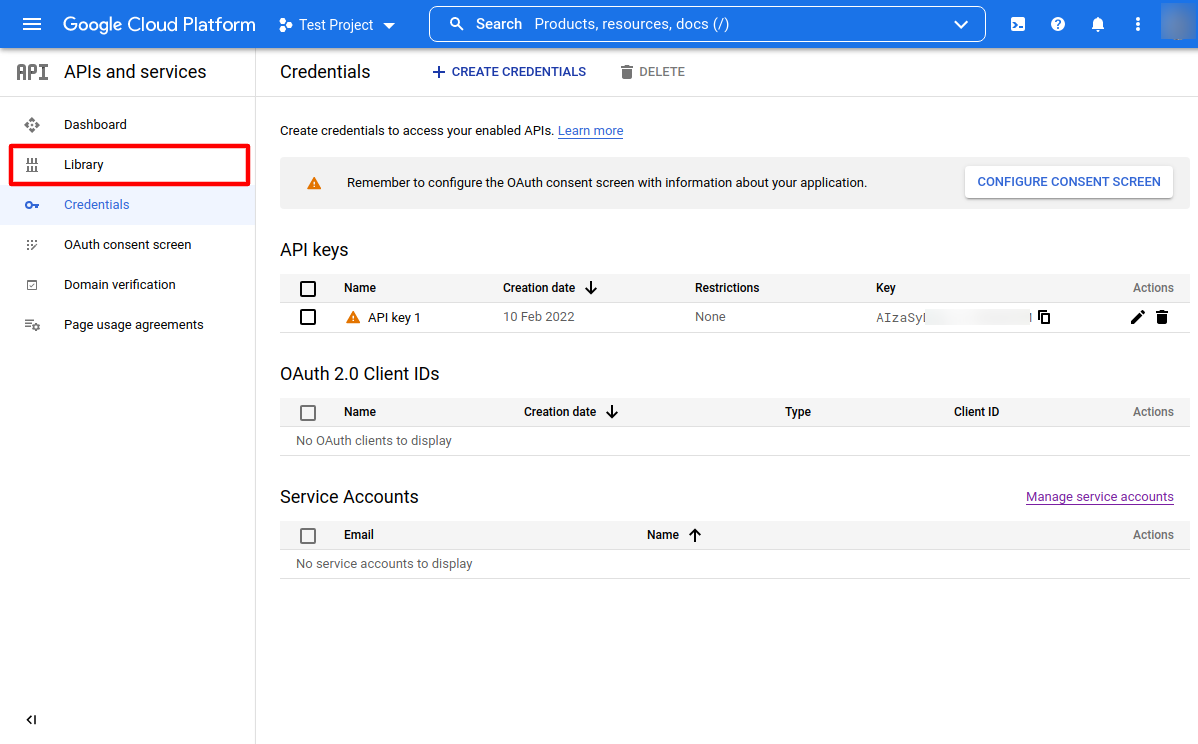
Once your API Key has been created you will be able to enable API Services from the Cloud Platform Library